
Examples #
| Name | Description |
|---|---|
| environment-setup | Help you make sure build environment is setup correctly |
| hello-lipsedge-sdk | How to connect to camera and get camera info |
| opencv-viewer | Use OpenCV to display Color, depth and IR images |
| roi | How to set the ROI of image frame |
| depth_data | Get the depth value by pixel coordinate (x,y) |
| align-depth-color | Align depth and RGB frame to the same coordinate |
| range-filter | Get the data only in desired distance only |
| remove-background | Use range filter to filter out the back ground |
| record | Record camera streams for NiViewer playback |
| pointcloud | Compute pointcloud data and display |
| config-resolution | Change resolution, FPS and pixel format |
| camera-parameter | Get camera parameters |
| align | How to align depth and color streams captured from different viewpoints |
| distance | Measure distances using depth data |
| grabcuts | Image segmentation using GrabCut algorithm. |
| measure | Compute the real-world 3D distance between two user-selected points based on depth camera data. |
| motion | Real-time estimation of the camera’s orientation (Roll, Pitch, Yaw) by fusing data from the onboard IMU sensors |
| post-processing | Applying filters or other post-processing techniques to data |
| save-to-disk | How to set up a camera and save both depth and RGB frames as PNG images |
| sensor-control | Controlling camera sensor parameters |
Prerequisite #
Install cmake and opencv.
Linux #
sudo apt install cmake build-essential
sudo apt install libopencv-dev
Windows #
Install cmake, OpenCV and Visual Studio (we use VS2019).
Installation Guide on Windows #
Create two files, example.cpp and CMakeLists.txt with following content.
# CMakeLists.txt
cmake_minimum_required(VERSION 3.3)

project( example CXX )

if(MSVC)
    include_directories("C:/Program Files/OpenNI2/Include")
    link_directories("C:/Program Files/OpenNI2/Lib")
endif()


add_executable( ${PROJECT_NAME} project.cpp )

find_package(OpenCV)

target_link_libraries(${PROJECT_NAME} OpenNI2)
target_link_libraries(${PROJECT_NAME} ${OpenCV_LIBS})
// project_setup.cpp
#include <openni2/OpenNI.h>
#include <opencv2/core/core.hpp>
int main()
{
auto version = new openni::Version();
printf("OpenNI Version:%d.%d.%d.%d\n", version->build, version->major, version->minor, version->maintenance);
printf("OpenCV Version:%s\n", CV_VERSION);
return 0;
}Build #
Linux #
Create a build folder next to CMakeLists.txt. Change directory to build folder. Use cmake to generate build files. Then use make to build.Copy
mkdir build
cd build
cmake ..
make
Windows #
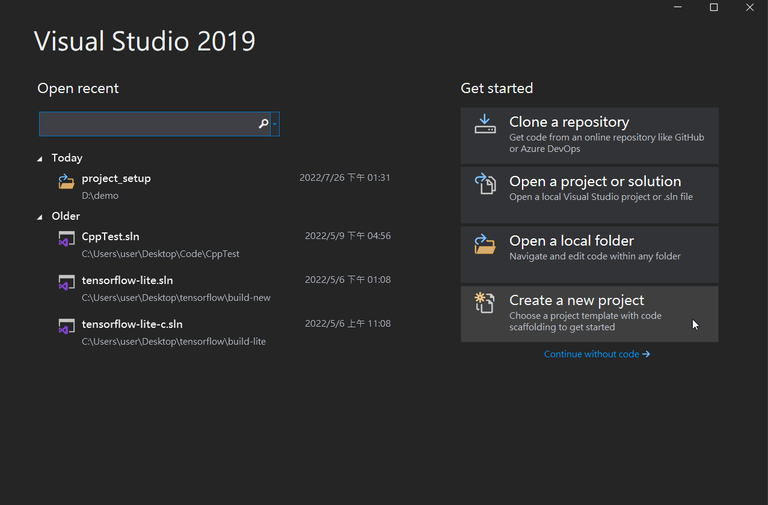
1. Open Visual Studio and create a new project
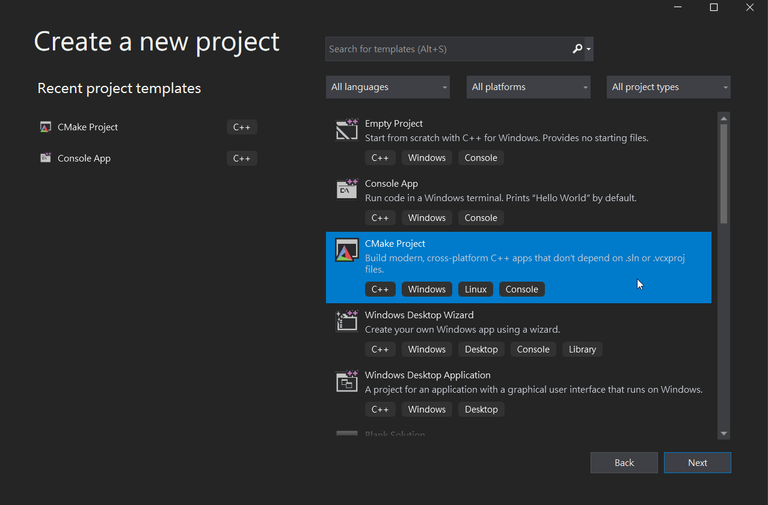
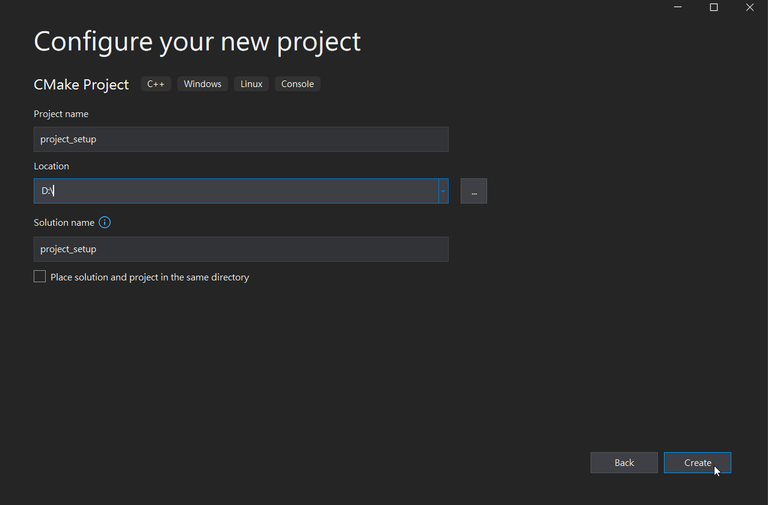
2. Create a new cmake project
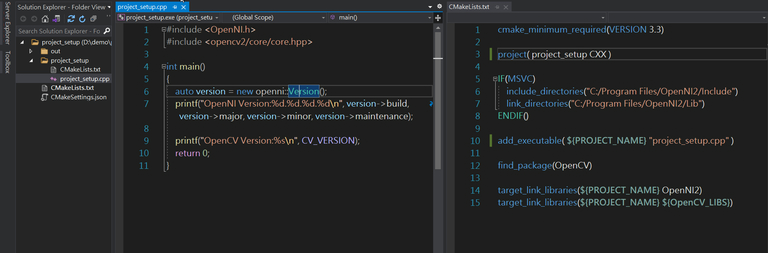
3. Modify CMakeLists.txt and project_setup.cpp
Expect output #
OpenNI Version:0.0.0.0
OpenCV Version:4.2.0.4.2.0